
Closed test · Android and iPhone
Get Libut Café first.
Libut Café is a hand-checked guide to Zamboanga City’s cafés. Before Google lets it into the Play Store, it needs real people using it for 14 days. That’s where you come in.
Join the testFree · Android or iPhone · about 2 minutes


What you’re testing
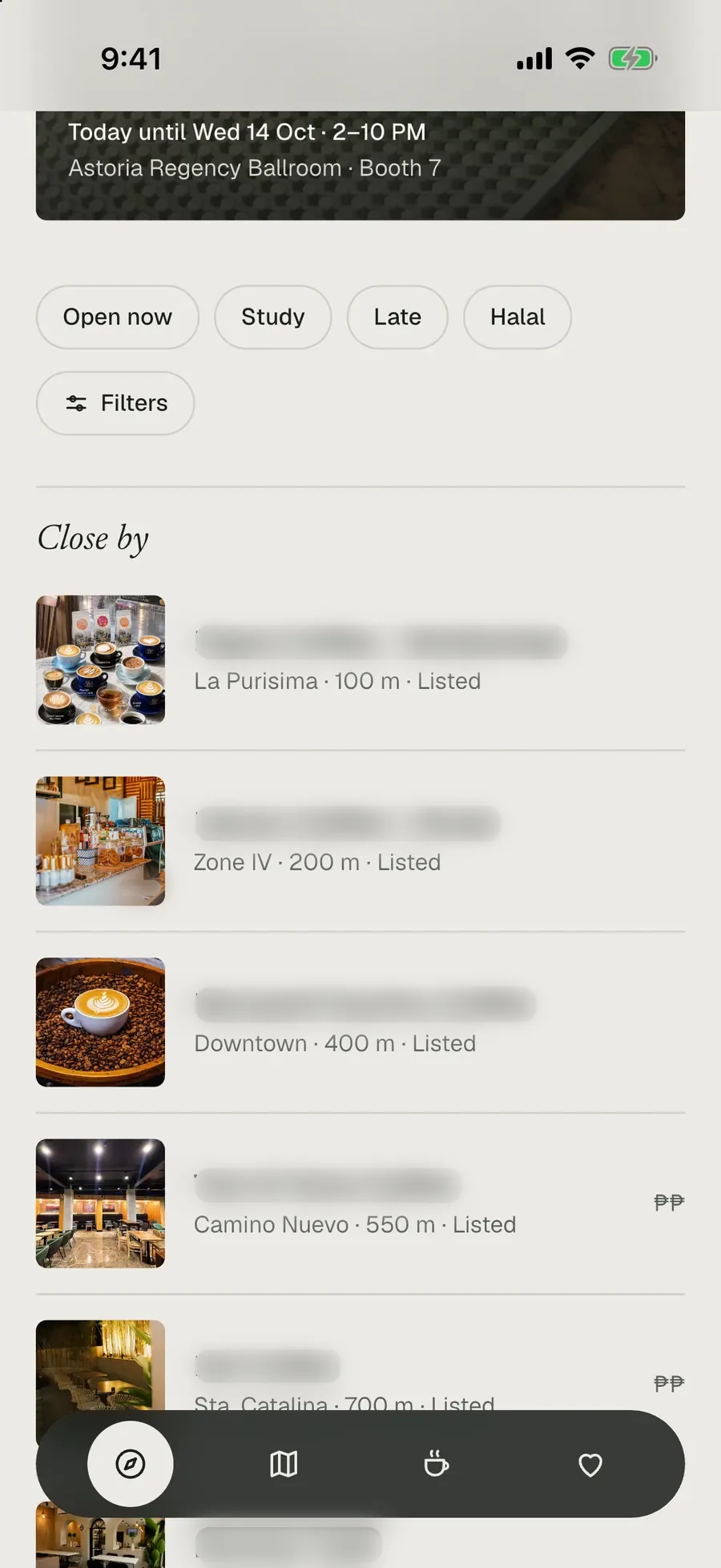
What’s open, and close by
Today’s pick, pop-ups happening soon, and cafés sorted by distance. Real hours, dated.
One honest page per café
Menus with “prices as of”, study details, halal exactly as recorded, directions in one tap.
A quiet map
Just the cafés, as small photos on a soft map of the city. Works with a weak signal, too.
Your caffeine cup
Log a drink in two taps and see roughly how much is in you now. Estimates, not medical advice.
Passport and badges
Sign in, check in at cafés, and stamp your passport. The badges are in Filipino and Chavacano.
Freedom walls
Leave a short note on a café’s wall, written only while you’re there.
How to join
-
Leave your email
On Android, use the Google account that’s signed in to your phone’s Play Store (usually your Gmail). On iPhone, any email you read on the phone. We add you to the test by hand, usually within a day.
-
Become a tester
Android: a day after step 1, open this link signed in with the same Google account and tap “Become a tester”. iPhone: no wait: open the TestFlight link on your iPhone.
Opt in on Google Play Join on TestFlight -
Install Libut Café
Get it from Google Play on your phone. It can take a few minutes to show up after step 2. On iPhone, install Apple’s free TestFlight app, then Libut Café from the TestFlight link.
Get it on Google Play
14 days. That’s the whole ask.
Google lets a new app into the Play Store only after at least 12 testers keep it installed for 14 days in a row. Please don’t uninstall it or leave the test before then, even on days you don’t open it. Opening it now and then, saving a café or logging a coffee, helps the most.
A thank-you
Unang Tropa
The first crew. Sign in to Libut Café during the test and this badge is yours for good. Nobody can earn it once Libut Café opens to everyone.
Found a bug? Got an idea?
Every message gets read. Screenshots help a lot. Wrong hours or a missing café? Report it from the café’s page in the app.
Send feedbackQuestions
Does it cost anything?
No. Testing is free, and Libut Café is free, with no in-app purchases.
iPhone?
Yes, through Apple’s TestFlight. Install the free TestFlight app, then open the TestFlight link on your iPhone. Leaving your email in step 1 is optional on iPhone; it lets us tell you about new versions.
Google Play says the app isn’t available.
You may not be on the list yet: we add people by hand, so give it a day. Also check that steps 1 and 2 used the same Google account as your Play Store. Then try the link again.
What happens after 14 days?
Libut Café goes through Google’s review for the public release. You keep the app and get updates like everyone else.
What do you do with my email?
We use it only to add you to Google Play’s or Apple’s tester list, and delete our list once Libut Café is public. Google or Apple runs the test itself. Details in the privacy policy.
Can I leave the test?
Yes, any time, from the same Google Play link in step 2 (or TestFlight on iPhone). If you can, wait out the 14 days first.
Who’s behind this?
Raiyan Asaral, in Zamboanga City. Libut Café is visiting every café in person, so the guide stays honest.